



This is Red Ball unblocked: the original 17-level physics platformer runs above, served from redball.one itself on the open-source Ruffle player, so it plays in an ordinary browser tab on a school Chromebook or laptop — free, with no download and no plugin, and it keeps the levels you unlock.
Red Ball: the physics platformer where the hero is a ball
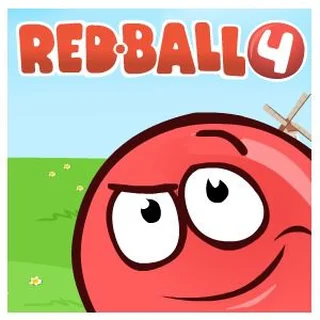
Red Ball starts on a sky-and-hills menu with the ball itself parked on a grassy mound, grinning, and a column of yellow buttons down the left: Play, More games, Credits, Highscore, Download, Walkthrough. Play leads to the Select level screen — seventeen numbered boxes, the first one lit green — and from there straight into Level 1: Move and jump. Two signs float over the first ledge: “Use Left/Right or A/D keys to move” and “Use Up or W keys to jump”. That is the whole control scheme.
What makes it more than a jump-and-run is the physics. The ball is a real rolling body: it builds speed on a slope, keeps it in the air, and bounces off whatever it hits. The levels are built around that — lifts that carry you over thorns, swinging axes, springboards, a bridge made of loose boxes, a car you push, a train, a catapult, coloured buttons that open walls of the same colour. A Death counter in the corner keeps score of every fall; a fall sends the ball back to the start of the level.
This is the original Flash game, version 1.6.01, by Evgeniy Fedoseev with music by Dj Harlock, first published with King.com. Flash is gone from browsers, so redball.one runs the same game file through Ruffle, an open-source Flash player written in WebAssembly, straight from this domain. All seventeen levels are playable here, including the last five that the game once kept for King.com’s own site.
Controls & mechanics
| Action | Control | Purpose |
|---|---|---|
| Roll | Left / right arrows or A / D | The ball speeds up the longer you hold a direction, and it keeps that speed in the air |
| Jump | Up arrow or W | Jump height is fixed; distance comes from how fast you were rolling when you left the ground |
| Restart level | R | The game’s own hint: “Use R to restart” — quicker than falling on purpose |
| Pause | P | Freezes the level; press P again to carry on |
| Menu | Esc | Opens a dialog; Y goes back to the main menu, N returns to the level |
| Sound | Speaker icon | Top-left corner of the level, next to Menu |
How to get through Red Ball
- Build speed before a gap: A standing jump barely clears anything. Back up, roll toward the gap and jump at the edge — the ball carries its rolling speed into the jump.
- Let go to stop: The ball does not brake on its own; it rolls on until friction slows it. On narrow ledges, tap the opposite direction to kill speed instead of letting go and hoping.
- Find the button first: A wall in the colour of a button — blue, green or red — opens when the ball rolls onto that button. If the way is shut, look for the matching button before trying to jump the wall.
- Ride things, do not jump at them: Lifts, carts and the train are safer to roll onto from their near end than to land on from above, where the ball bounces off.
- Read the signs: Levels explain their own tricks — “Press button to destroy wall”, “Get to the first cart!”, “Danger!”. When a sign appears, the thing it names is the way on.
- Springs throw, you steer: A springboard decides how high the ball goes; Left and Right in the air decide where it lands. Hold the direction of the next ledge from the moment you leave the spring.
- R is faster than a fall: If the ball is stuck or a box has landed the wrong way, R restarts the level at once.
Key features
- 17 levels: From Move and jump to The King, played in order; the level screen remembers how far you got.
- Real physics: Box2D rolling, bouncing and momentum — slopes, boxes, lifts and vehicles all push back.
- Named set pieces: Swinging axes, springboards, cranks, a car, a train, a catapult, a shop to break into and a King’s crown.
- All levels open: The five King.com-only levels (13 to 17) are playable here as well.
- Served from this site: The original Flash file on Ruffle, hosted on redball.one — no plugin, no third-party player.
- Keyboard game: Arrow keys or A, D and W; R, P and Esc for restart, pause and menu.
Game info
- Title: Red Ball
- Developer: Evgeniy Fedoseev
- Category: Platformers & Physics
- Platform: Web browser (HTML5)
- Credits: Red Ball 1.6.01 by Evgeniy Fedoseev · music by Dj Harlock · originally sponsored by King.com · runs on Ruffle, served from redball.one
Pro tip: A fall costs you the whole level, not just the last jump — the ball always comes back at the start. On a long level, slow down near the end: the last gap is where a rushed run throws away everything before it.