How Red Ball, a Flash Game, Still Plays in Your Browser
Published · 2 min read
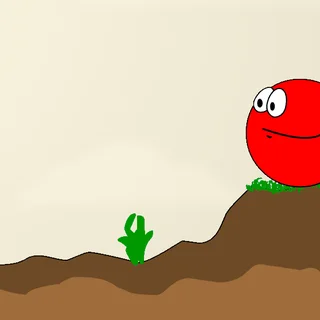
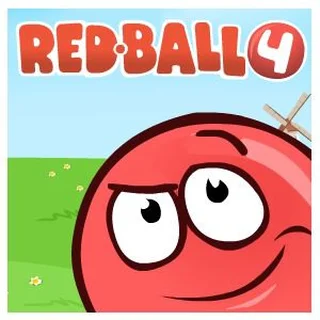
Red Ball is a Flash game, and Flash Player was switched off in every major browser at the end of 2020. Yet the game on redball.one plays in an ordinary tab, on a school Chromebook as well as a laptop. Here is how that works, and what it means for saving, keys and sound.
Ruffle: Flash without the plugin
The site runs the original game file through Ruffle, an open-source Flash Player replacement written in Rust and compiled to WebAssembly. The browser downloads Ruffle along with the game, and Ruffle does what the old plugin did: it reads the Flash file, runs its ActionScript code and draws every frame. Nothing is installed, and the whole thing lives on redball.one, not on a third-party player site.
Red Ball is an ActionScript 3 game with a Box2D physics engine inside it. Ruffle’s support for that kind of game has become good enough to run it, but the original file needed two small changes. Its start-up script locked Ruffle up, so it is skipped; and the game checked whether it was running on King.com, its original sponsor, before opening levels 13 to 17. That check now passes, so all seventeen levels unlock as you play.
Where your progress is kept
Flash games saved progress in a “shared object”, a small file the plugin kept for each site. Ruffle keeps the same data in your browser’s local storage. So:
- Same browser and profile: the Select level screen shows every level you unlocked.
- Another computer, another browser or another Chrome profile starts at Level 1.
- Incognito windows, guest mode and clearing site data wipe it.
The keys do nothing
Ruffle only receives the keyboard when the game has focus. Click once inside the game after it loads, then use the arrow keys or A, D and W. R restarts a level, P pauses and Esc opens the menu dialog, where Y leaves the level and N stays.
Sound
Browsers do not play sound until you have clicked on the page, so the game is silent until your first click. The speaker icon in the top-left corner of a level switches the sound off and on.
The buttons that do nothing
More games, Download, Highscore and the King.com logos all linked to pages that no longer exist. The player here does not open new tabs from inside the game, so those buttons simply do nothing. Play, Credits and Walkthrough behave as before.
If it is slow
The first start takes a few seconds while Ruffle loads; after that Red Ball runs smoothly on an entry-level Chromebook. If it stutters, close tabs that play video and turn off battery saver. The full-screen button under the game makes it as large as your screen allows.
Is it blocked at school?
The game is served from redball.one as an ordinary web page with no download and no plugin, so it opens wherever normal websites do. If your school’s filter blocks the site, only the network’s administrator can change that.
Back to the game: play Red Ball, or read the level guide for all seventeen levels.
More from the blog
- Red Ball Level Guide: All 17 Levels, From Move and Jump to The King
Every Red Ball level in order, from the game’s own level files — lifts, axes, springboards, coloured buttons, the car, the train, the catapult — and how the ball’s momentum decides each one.